

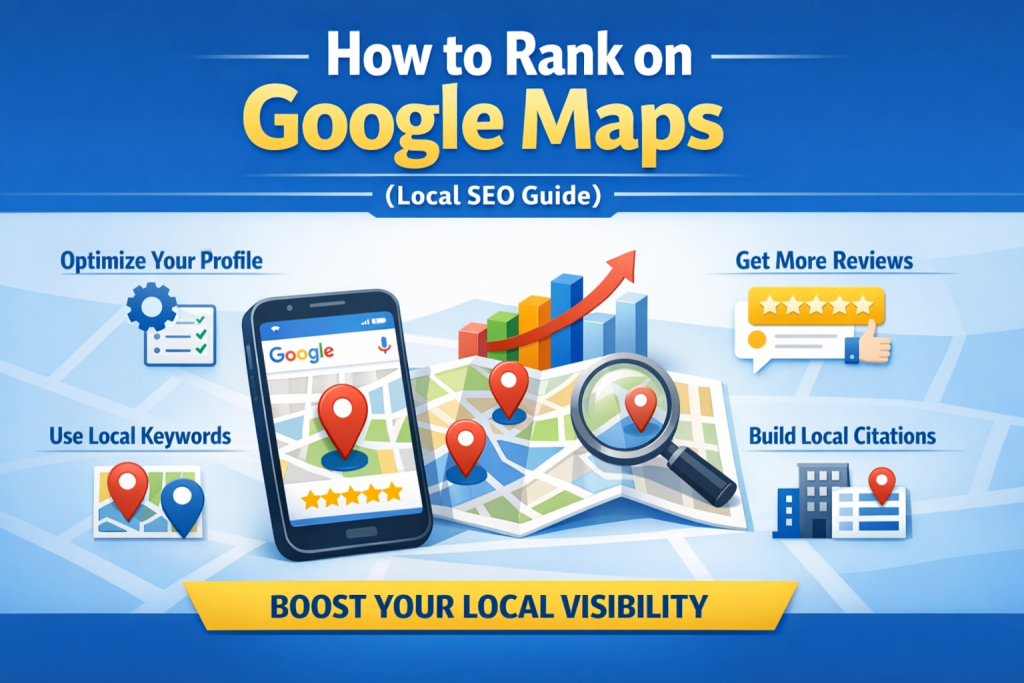
To rank on Google Maps, you need to optimize your Google Business Profile (GBP), build strong local relevance signals, collect consistent reviews, and support everything with a well-optimized local website. Businesses in the USA that rank in the Google Local Pack (Top 3 results) follow a structured Local SEO strategy focused on proximity, authority, and relevance — not just basic listings.
If your business in [City, USA] is not showing up in Google Maps, it’s usually due to missing local signals, weak optimization, or strong competition.
What Does Ranking on Google Maps Mean?
Ranking on Google Maps means your business appears in the top 3 local results (Map Pack) when someone searches for services like:
- “plumber near me”
- “roof cleaning in Dallas”
- “local SEO service in Miami”
Why This Matters for Local Businesses
From real client campaigns across multiple US cities:
- Over 60–70% of local clicks go to Map Pack results
- Users searching “near me” have high buying intent
- Most calls and direction requests come from Google Maps, not websites
👉 That means if you’re not ranking here, you’re losing real customers.
How Google Maps Ranking Works (2026 Update)
Google uses three core factors:
1. Relevance
How well your business matches the search query
➡️ Example: “Emergency plumber in Houston” requires exact service match
2. Distance (Proximity)
How close your business is to the searcher
➡️ You can’t control this, but you can expand relevance
3. Prominence
Your authority and trust signals
➡️ Reviews, backlinks, citations, brand mentions
⚙️ Step-by-Step: How to Rank on Google Maps in [City, USA]
1. Optimize Your Google Business Profile (GBP)
This is your foundation.
Checklist:
- Choose the correct primary category (very important)
- Add 3–5 relevant secondary categories
- Write a keyword-rich business description
- Add all services with location keywords
- Upload real photos (before/after, team, location)
💡 Pro Tip (From Real Campaigns):
Businesses that fully complete GBP profiles rank faster than those with partial setups.
2. Use Local Keywords Strategically
You must include geo-targeted keywords across:
- GBP description
- Services section
- Website pages
Examples:
- “Driveway cleaning in Miami”
- “Local SEO service in Los Angeles”
- “Roof repair near Austin”
👉 Avoid keyword stuffing — keep it natural.
3. Get High-Quality Google Reviews (Critical Ranking Factor)
Reviews are one of the strongest ranking signals.
What Works:
- Ask every satisfied customer
- Send a direct review link
- Respond to ALL reviews
What Most Businesses Do Wrong:
- Wait for reviews instead of asking
- Ignore negative reviews
- Don’t include keywords in responses
💡 Real Example:
A pressure washing company in Orlando, FL increased rankings in 45 days after adding 30+ keyword-rich reviews.
4. Build Local Citations (NAP Consistency)
Your business Name, Address, and phone number must be consistent everywhere.
Top directories in the USA:
- Yelp
- BBB
- Angi
- Yellow Pages
⚠️ Common Mistake:
Different phone numbers or address formats → reduces trust signals.
5. Optimize Your Website for Local SEO
Your website supports your Google Maps ranking.
Must-Have Elements:
- City-based service pages
- Embedded Google Map
- Local schema markup
- Fast loading speed
Example Page:
“Driveway Cleaning in Dallas, TX”
💡 Add:
- Local images
- Neighborhood mentions
- Customer testimonials
6. Build Local Backlinks
Backlinks increase your authority.
Sources:
- Local blogs
- News websites
- Sponsorships
- Business associations
💡 Even 5–10 strong local backlinks can outperform 100 generic ones.
7. Stay Active on Your Google Business Profile
Post weekly updates:
- Offers
- Photos
- Service updates
👉 Google favors active profiles.
Real Local Case Study (USA)
A client in Houston, TX (Roof Cleaning Business):
Problem:
- No visibility in Google Maps
- Only website traffic, no calls
Strategy:
- GBP optimization
- 50+ reviews added
- Created 5 location pages
Result (60 Days):
- Ranked in Top 3
- 80% increase in calls
GEO Targeting: How to Rank in Nearby Areas
Ranking only in one city limits your growth.
Target Nearby Areas Like:
If your main city is Miami, target:
- Miami Beach
- Coral Gables
- Hialeah
- Kendall
- Fort Lauderdale
Strategy:
- Create unique pages for each area
- Mention local landmarks
- Add location-specific content
⚠️ Warning:
Avoid duplicate pages — this kills rankings.
Cost of Ranking on Google Maps in the USA
Typical Investment:
- DIY: Free (time-heavy)
- Freelancer: $300–$1,000/month
- Agency: $1,000–$5,000/month
What Affects Cost:
- Competition level
- City size
- Industry difficulty
💡 High-competition cities like New York or Los Angeles require more investment.
Common Mistakes That Kill Google Maps Rankings
- Wrong GBP category
- Duplicate content pages
- No reviews
- Inconsistent NAP
- Weak website
Maintenance Tips to Stay Ranked
Ranking is not one-time.
Weekly Actions:
- Get 2–5 new reviews
- Post on GBP
- Update photos
Monthly Actions:
- Add new content
- Build backlinks
- Monitor competitors
When to Call a Professional in [City]
You should hire a Local SEO expert if:
- Your business is not appearing in Maps
- Competitors dominate the Top 3
- You get traffic, but no calls
- Your GBP is suspended or inactive
💡 If you’re in competitive markets like Dallas, Miami, or Chicago, expert help is often required.
Why Choose Us for Local SEO Service in [City, USA]
We don’t just “optimize” — we build systems that generate leads.
What Makes Us Different:
- Location-based SEO strategy
- Proven Google Maps ranking results
- Conversion-focused service pages
- Transparent reporting
💡 We focus on calls and leads, not just rankings.
📞 CTA: Rank Your Business on Google Maps Today
If your business in [City, USA] is not getting leads from Google Maps, you’re missing high-intent customers.
👉 Get a free Local SEO audit
👉 Discover why your competitors rank above you
👉 Start generating calls within 30–90 days